
Django and Spring: the same app, twice
The padel club wants online bookings and you write them twice, in Django and in Spring Boot. A Kansas newsroom versus the winter of J2EE, queries written in names, an admin in four lines, the 403 trap and the measured numbers.
Tuesday, 16 September 2025. The padel club round the corner runs its bookings with a squared notebook hanging by the bar and a 214-member WhatsApp group where, every evening at nine, someone writes "is there a court free tomorrow at 6?" and gets forty thumbs-up, two voice notes and no useful information in return. You volunteered to sort it out. A small app: the courts, the bookings, and a check that stops two groups from turning up on the same court at the same time, rackets in hand and murder in their eyes.
You know one of the two frameworks well; the other you've always watched from a distance, with the mix of curiosity and suspicion reserved for the neighbour who does things differently. So you decide to write it twice: once in Django, Python's web framework, and once in Spring Boot, the modern way to use Spring in Java. Same app, same tests, and at the end you count the differences. You use today's versions: Django 5.2.6, released on 3 September, and Spring Boot 3.5.5, released on 21 August, on Java 21. Although, for the record, Java 25 comes out today.
Two births and a winter
Before writing any code, a little history, because it explains almost every difference you're about to see.
Django was born in a newsroom. In autumn 2003 two developers at the Lawrence Journal-World, the daily paper of a small town in Kansas, Adrian Holovaty and Simon Willison, dropped PHP and started using Python. Their problem was every newsroom's problem: deadlines. As Django's official FAQ puts it, they often had "only a matter of hours" to take a complicated web application from concept to public launch. To stay sane they extracted a generic framework from their sites, and in summer 2005 the publisher decided to open-source it. The name honours Django Reinhardt, the jazz manouche guitarist. It's pronounced "JANG-oh": the D is silent, and the FAQ is keen to remind you.
Spring was born from a book. In November 2002 Rod Johnson, an Australian consultant, published Expert One-on-One J2EE Design and Development, a scathing critique of how enterprise applications were written in Java at the time, with Enterprise JavaBeans: heavy, full of XML configuration, nearly impossible to test. The book came with 30,000 lines of code for an alternative framework. Two readers, Juergen Hoeller and Yann Caroff, suggested making it an open-source project, which went public in June 2003. Caroff proposed the name, and Johnson explained why: Spring "represented a fresh start after the 'winter' of traditional J2EE".
Ten years later, though, Spring had built up its own layer of configuration. On 17 October 2012 a developer, Mike Youngstrom, opened an issue in Spring's bug tracker asking for a simpler way to start web applications, without installing a separate application server. In August 2013 Phil Webb replied that rather than fixing it in the framework they had decided to start a new project, Spring Boot, and thanked Youngstrom: "This bug was the genesis of Spring Boot". Version 1.0 came out on 1 April 2014. It wasn't a joke.
Two frameworks born almost together, both as a reaction to something too slow: a newsroom's deadlines on one side, J2EE bureaucracy on the other. Keep that in mind, because you can feel it in every line.
The first command
With Django you open a terminal and type three commands:
$ pip install django==5.2.6
$ django-admin startproject club .
$ python manage.py startapp padel
The first installs the framework, the second creates the project (settings, top-level URLs) and the third creates an app inside it, a module with models, views and tests. Then you add "padel" to INSTALLED_APPS in the settings, and the database is already there: an SQLite file, configured out of the box.
With Spring Boot you go to start.spring.io, a site that generates the project skeleton, and pick three "starters", pre-assembled bundles of dependencies:
<!-- pom.xml -->
<parent>
  <groupId>org.springframework.boot</groupId>
  <artifactId>spring-boot-starter-parent</artifactId>
  <version>3.5.5</version>
</parent>

<dependency>
  <groupId>org.springframework.boot</groupId>
  <artifactId>spring-boot-starter-web</artifactId>
</dependency>
<dependency>
  <groupId>org.springframework.boot</groupId>
  <artifactId>spring-boot-starter-data-jpa</artifactId>
</dependency>
<dependency>
  <groupId>com.h2database</groupId>
  <artifactId>h2</artifactId>
  <scope>runtime</scope>
</dependency>
Here comes the first interesting thing. You don't configure any database: Spring Boot sees the H2 library, an in-memory database, in the project and configures it on its own. That's auto-configuration: Spring Boot looks at what you put in the project and works out what you need. Django does something similar by writing sensible values into the settings file for you to change. Two different ways of applying the same principle, "convention over configuration": do the normal thing without saying anything, and speak up only when you want something different.
The model: four lines versus twenty
The heart of the app is two tables: courts and bookings. In Django you describe them with Python classes:
from django.core.exceptions import ValidationError
from django.db import models


class Court(models.Model):
    name = models.CharField(max_length=50, unique=True)
    indoor = models.BooleanField(default=False)

    def __str__(self):
        return self.name


class Booking(models.Model):
    court = models.ForeignKey(Court, on_delete=models.CASCADE, related_name="bookings")
    player = models.CharField(max_length=80)
    starts = models.DateTimeField()
    ends = models.DateTimeField()

    def clean(self):
        if self.ends <= self.starts:
            raise ValidationError("end before start")
        overlapping = Booking.objects.filter(
            court=self.court, starts__lt=self.ends, ends__gt=self.starts
        ).exclude(pk=self.pk)
        if overlapping.exists():
            raise ValidationError("court already taken")

    def as_dict(self):
        return {"id": self.pk, "player": self.player,
                "starts": self.starts.isoformat(), "ends": self.ends.isoformat()}
In Spring you describe the same tables with Java classes annotated according to the JPA (Jakarta Persistence) standard. Here's the court:
package club.example.padel;

import jakarta.persistence.*;

@Entity
public class Court {
    @Id @GeneratedValue
    private Long id;

    @Column(unique = true, nullable = false, length = 50)
    private String name;

    private boolean indoor;

    protected Court() {}  // for JPA

    public Court(String name, boolean indoor) {
        this.name = name;
        this.indoor = indoor;
    }

    public Long getId() { return id; }
    public String getName() { return name; }
    public boolean isIndoor() { return indoor; }
}
The Booking class is the same, only longer. Two things to notice. The first is volume: in Java there's the empty constructor "for JPA" (Hibernate, the library doing the work underneath, needs it to build objects when reading them from the database), the getters, the modifiers. Some people trim it with Lombok or by writing Kotlin, but the difference remains. The second is subtler: the Django model is the table and can also do things, like validate itself with clean(). The JPA entity is closer to a plain data container, and the rules usually live elsewhere.
Then there's the database schema. In Django you run python manage.py makemigrations and the framework compares the models with their previous state and writes a migration file by itself, a versioned piece of code that creates or alters the tables. Spring Boot, with an in-memory database like H2, conveniently has Hibernate create the tables on every start and throw them away on shutdown. Nobody does that in production: you add Flyway or Liquibase and write migrations in SQL. In Django migrations are included; in Spring they're one more building block to choose.
The query you write with a name
Now the important rule: a court can't be booked twice at the same time. Two time slots overlap when the first starts before the second ends and ends after the second has started. If you have the court from 6 to 7:30 and another group wants it from 7 to 8, 6 comes before 8 and 7:30 comes after 7: overlap, brawl avoided.
In Django the rule is written like this, with the famous double underscores:
overlapping = Booking.objects.filter(
    court=self.court, starts__lt=self.ends, ends__gt=self.starts
).exclude(pk=self.pk)
starts__lt means "starts less than", ends__gt "ends greater than". Django reads the argument name, splits it on the double underscores and builds the SQL query from it.
In Spring you find the same idea, taken to the extreme. You don't write the query: you declare an interface, and Spring Data derives the query from the method name:
package club.example.padel;

import java.time.OffsetDateTime;
import java.util.List;
import org.springframework.data.jpa.repository.JpaRepository;

public interface BookingRepository extends JpaRepository<Booking, Long> {

    List<Booking> findByCourtOrderByStarts(Court court);

    boolean existsByCourtAndStartsLessThanAndEndsGreaterThan(
            Court court, OffsetDateTime ends, OffsetDateTime starts);
}existsByCourtAndStartsLessThanAndEndsGreaterThan. Read it aloud: it's the query, written in English, without spaces. Nobody implements it: at startup Spring Data reads the name, breaks it into pieces (exists, By, Court, And, Starts, LessThan…) and generates the code. And so you discover the funniest similarity between the two worlds: to spare you SQL, both make you write queries in names. Django in argument names, Spring in method names.
There's a trap, and of course you find it. Parameters must be passed in the order they appear in the name: first the court, then the value for StartsLessThan (which is the new booking's end), then the one for EndsGreaterThan (which is its start). So in the code you'll write (court, r.ends(), r.starts()), end before start. It looks wrong, but it's right.
A bonus trap, which only bites in English: your first draft used fields called start and end, and the Spring test exploded with Table "BOOKING" not found. END is a reserved word in H2, so Hibernate failed to create the table, quietly, and the error only surfaced at the first query. Hence starts and ends.
Where the rule lives
In Django the rule sits in the model's clean() method. Careful, though: save() doesn't call clean() by itself. Django's forms and the admin interface do, but if you save by hand you have to call full_clean() yourself, as you'll see in the view.
In Spring the rule usually goes in a service, a class dedicated to logic:
package club.example.padel;

import static org.springframework.http.HttpStatus.*;

import java.util.List;
import org.springframework.stereotype.Service;
import org.springframework.transaction.annotation.Transactional;
import org.springframework.web.server.ResponseStatusException;

@Service
public class BookingService {
    private final CourtRepository courts;
    private final BookingRepository bookings;

    public BookingService(CourtRepository courts, BookingRepository bookings) {
        this.courts = courts;
        this.bookings = bookings;
    }

    public List<Booking> listing(Long courtId) {
        return bookings.findByCourtOrderByStarts(court(courtId));
    }

    @Transactional
    public Booking book(Long courtId, NewBooking r) {
        Court court = court(courtId);
        if (!r.ends().isAfter(r.starts()))
            throw new ResponseStatusException(BAD_REQUEST, "end before start");
        if (bookings.existsByCourtAndStartsLessThanAndEndsGreaterThan(court, r.ends(), r.starts()))
            throw new ResponseStatusException(BAD_REQUEST, "court already taken");
        return bookings.save(new Booking(court, r.player(), r.starts(), r.ends()));
    }

    private Court court(Long id) {
        return courts.findById(id).orElseThrow(() -> new ResponseStatusException(NOT_FOUND));
    }
}
Here you see the thing that makes Spring, Spring: dependency injection. The service needs the two repositories, but doesn't create them: it receives them in its constructor. Who hands them over? Spring's container, which at startup finds all the annotated classes (@Service, @RestController, the repositories), creates them in the right order and wires them together. It's like a wedding planner seating every guest next to the people they know. Since Spring 4.3, if the class has a single constructor, you don't even need the @Autowired annotation. The payoff shows in tests, where you can pass the constructor fake versions of the repositories.
Django has nothing like it. Objects meet through an import, as usual in Python, and global configuration lives in settings.py. Less ceremony, less indirection, but also fewer ways to swap a piece without touching the code.
An honest note that applies to both. Checking that the court is free and then saving are two separate steps, and if two people book in the same millisecond both can pass the check. Not even @Transactional saves you, with the default isolation level. The serious fix is a database constraint: PostgreSQL has exclusion constraints, which Django supports with ExclusionConstraint. For a padel club with four courts, though, you can sleep soundly.
URLs: a map or signposts
Now the API: GET to see a court's bookings, POST to make a new one. In Django you write a view (which, despite the name, is what other frameworks call a controller; the FAQ explains that Django prefers to talk about "MTV", model-template-view):
import json

from django.core.exceptions import ValidationError
from django.http import JsonResponse
from django.shortcuts import get_object_or_404
from django.views.decorators.csrf import csrf_exempt
from django.views.decorators.http import require_http_methods

from .models import Court, Booking


@csrf_exempt  # session-less API: in production, tokens or Django REST framework
@require_http_methods(["GET", "POST"])
def bookings(request, court_id):
    court = get_object_or_404(Court, pk=court_id)
    if request.method == "GET":
        listing = court.bookings.order_by("starts")
        return JsonResponse([p.as_dict() for p in listing], safe=False)

    p = Booking(court=court, **json.loads(request.body))
    try:
        p.full_clean()
    except ValidationError as e:
        return JsonResponse({"errors": e.messages}, status=400)
    p.save()
    return JsonResponse(p.as_dict(), status=201)
Yes, there's an if on the HTTP method. Yesterday we saw when an if can stay, and this one can. Django's class-based views or Django REST framework would make it disappear, but for two methods it isn't worth it. Then you hook the view to an address, in a file that holds all of the site's URLs:
from django.contrib import admin
from django.urls import path

from padel import views

urlpatterns = [
    path("admin/", admin.site.urls),
    path("courts/<int:court_id>/bookings/", views.bookings),
]
In Spring the address doesn't live in a central file but above the method, as an annotation:
package club.example.padel;

import java.util.List;
import org.springframework.http.HttpStatus;
import org.springframework.web.bind.annotation.*;

@RestController
@RequestMapping("/courts/{courtId}/bookings")
public class BookingController {
    private final BookingService service;

    public BookingController(BookingService service) {
        this.service = service;
    }

    @GetMapping
    public List<BookingDto> listing(@PathVariable Long courtId) {
        return service.listing(courtId).stream().map(BookingDto::from).toList();
    }

    @PostMapping
    @ResponseStatus(HttpStatus.CREATED)
    public BookingDto book(@PathVariable Long courtId, @RequestBody NewBooking r) {
        return BookingDto.from(service.book(courtId, r));
    }
}

public record NewBooking(String player, OffsetDateTime starts, OffsetDateTime ends) {}

public record BookingDto(Long id, String player, OffsetDateTime starts, OffsetDateTime ends) {
    static BookingDto from(Booking p) {
        return new BookingDto(p.getId(), p.getPlayer(), p.getStarts(), p.getEnds());
    }
}
The two choices have opposite consequences. In Django, to find out which URLs exist you open urls.py and have the complete map, like a tube map. In Spring every method carries its own signpost, and to get the map you have to search the project for annotations (or ask the running application). On the other hand, in Spring when you read a method you already know which URL it answers.
Notice also the two Java records, NewBooking and BookingDto: they're the shapes of incoming and outgoing data. Jackson, the JSON library bundled with Spring Boot, converts JSON into the record and back on its own. In Django without extra libraries you read and write the JSON yourself (json.loads, as_dict). People building serious APIs in Django use Django REST framework, which brings serializers, the equivalent of those records.
The gift: the admin
And here's the moment Django gives you a present. Four lines:
from django.contrib import admin
from .models import Court, Booking

admin.site.register(Court)
admin.site.register(Booking)
You run python manage.py createsuperuser, open /admin/ in the browser, and there's a complete admin interface: login, list of courts, booking editing, search, per-user permissions. The club's front desk can manage the courts from tomorrow morning. And when someone tries to enter an overlapping booking, the admin calls clean() and shows the error in red, without a single extra line of code.
That's no accident: it's the Kansas newsroom. The official tutorial explains it: Django was written in a newsroom environment, with a very clear separation between content publishers and the public site. Journalists had to enter stories, events and sports scores, and an automatically generated admin interface was the answer. Spring Boot has nothing equivalent built in: either you build it yourself or you look for a third-party project.
The 403 trap
Did you notice the @csrf_exempt decorator on the Django view? Here's why. Django protects against CSRF out of the box (cross-site request forgery, attacks where a malicious site fires requests on your behalf using your browser's cookies). Every POST must carry a token, or it gets rejected. You try removing the decorator and running the check again:
# POST without @csrf_exempt
Client(enforce_csrf_checks=True)  ->  403 Forbidden
Client()  # the default test client  ->  201 Created
Django's test client skips the CSRF check for convenience, so the test passes, but the first real POST gets a 403. For a session-less API the exemption is fine (in production you use tokens, usually with Django REST framework). But the thing to remember is this: in Django, security is on by default.
Spring Boot is the opposite: until you add the Spring Security starter, your API has neither login nor CSRF protection. When you add it, though, everything locks down: every URL requires authentication, CSRF protection switches on and Spring prints a randomly generated password for the user user in the log. A door that stays open until you decide to fit it, and when you do, it's armoured.
Tests, and the clock
The test is the same in both worlds: create a court, book it, try to book again at the same time and expect a refusal. In Django:
from django.test import TestCase

from .models import Court


class BookingTest(TestCase):
    def test_overlapping_booking_rejected(self):
        court = Court.objects.create(name="Centre Court", indoor=True)
        url = f"/courts/{court.pk}/bookings/"
        data = {"starts": "2025-09-16T18:00:00+02:00", "ends": "2025-09-16T19:30:00+02:00"}

        r = self.client.post(url, {**data, "player": "Anna"}, content_type="application/json")
        self.assertEqual(r.status_code, 201)
        r = self.client.post(url, {**data, "player": "Bruno"}, content_type="application/json")
        self.assertEqual(r.status_code, 400)
        self.assertEqual(len(self.client.get(url).json()), 1)
In Spring:
import org.junit.jupiter.api.Test;
import org.springframework.beans.factory.annotation.Autowired;
import org.springframework.boot.test.autoconfigure.web.servlet.AutoConfigureMockMvc;
import org.springframework.boot.test.context.SpringBootTest;
import org.springframework.http.MediaType;
import org.springframework.test.web.servlet.MockMvc;

@SpringBootTest
@AutoConfigureMockMvc
class BookingTest {
    @Autowired MockMvc mvc;
    @Autowired CourtRepository courts;

    @Test
    void overlappingBookingRejected() throws Exception {
        Court court = courts.save(new Court("Centre Court", true));
        String url = "/courts/" + court.getId() + "/bookings";
        String json = """
            {"player": "%s", "starts": "2025-09-16T18:00:00+02:00", "ends": "2025-09-16T19:30:00+02:00"}""";

        mvc.perform(post(url).contentType(MediaType.APPLICATION_JSON).content(json.formatted("Anna")))
           .andExpect(status().isCreated());
        mvc.perform(post(url).contentType(MediaType.APPLICATION_JSON).content(json.formatted("Bruno")))
           .andExpect(status().isBadRequest());
        mvc.perform(get(url)).andExpect(jsonPath("$.length()").value(1));
    }
}
They look very alike: both create a test database and simulate HTTP requests without starting a real server. The difference shows on the clock. The Django test runs in 18 milliseconds, and the whole command, startup included, in 1.3 seconds. The Spring test takes 6.7 seconds, 4.9 of which are just starting the application context: scanning classes, creating beans, wiring them, initialising Hibernate. Spring offers "slice" tests (@WebMvcTest, @DataJpaTest) that start only part of the context, and reuses the context between tests. But on a large project you feel the difference every day.
The numbers, with a pinch of salt
At the end you line up what you measured. The timings come from a small 4-core virtual machine, so the ratios matter more than the absolute values.
| Django 5.2.6 | Spring Boot 3.5.5 | |
|---|---|---|
| Hand-written lines | 68 in 5 files (+1 in settings) | 174 in 11 files |
| Tests (startup included) | 1.3 s for the whole command | 6.7 s, 4.9 of them starting the context |
| App startup | 0.35 s | 5.6 s |
| Size | installed Django package: 49 MB | executable JAR: 54 MB |
| Also needs | Python 3.13 and a WSGI server (e.g. Gunicorn) | a JVM (Java 21) |
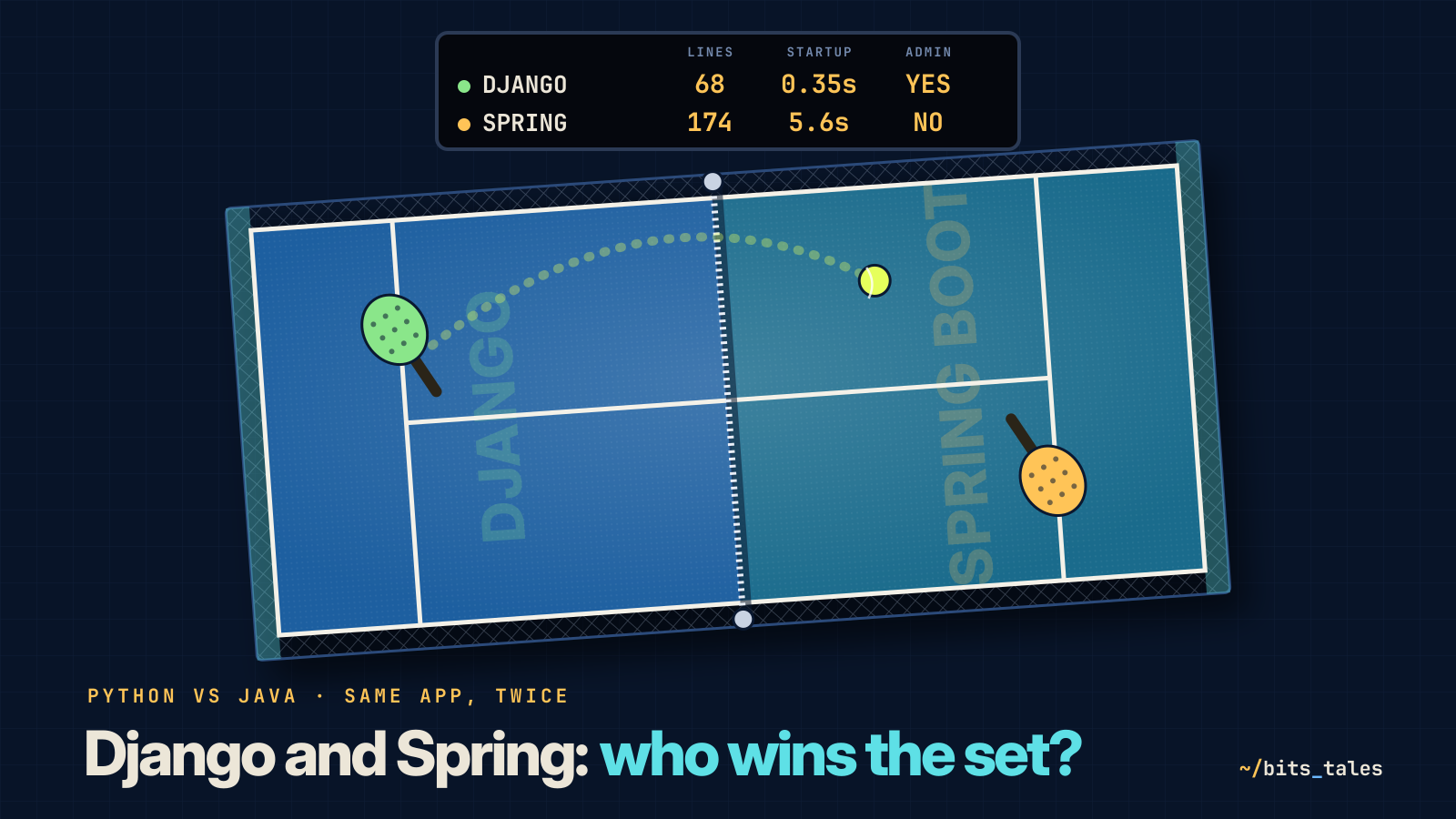
Nearly three times the code in Java, and about sixteen times the startup time. It sounds like a verdict, but read it carefully. A good chunk of those extra lines are getters and constructors your IDE writes for you, and the explicit types that make them longer are the same ones that let the compiler find errors before your users do. Slow startup, moreover, is paid once: a Spring server running for months barely notices, and the JVM, once warmed up, runs fast. Where startup really matters (serverless functions, containers constantly spinning up and down) Spring can be compiled into a native image with GraalVM. And Java 25, out today, brings two features (JEP 514 and JEP 515) that make ahead-of-time startup easier and more effective, with caches of already loaded classes and method profiles recorded in a previous run.
The last figure is the one that surprises you most: Spring's JAR, with Tomcat, Hibernate and everything else inside, weighs about as much as the installed Django package. Batteries included in both cases, just packaged differently.
What you tell the club
It's evening. You think back over the day and realise the similarities outnumber the differences. Both have an ORM that turns classes into tables, both build queries from names, both prefer conventions to configuration, both generate the project skeleton with one command, both are over twenty years old with a huge ecosystem. The real differences are in the philosophies: Django gives you everything at once, in a single coherent package designed for shipping fast; Spring gives you a mechanism, dependency injection, and an endless catalogue of parts to assemble, designed for systems that will live long and grow in directions you can't foresee today.
For the club you choose Django, and the reason fits in four lines: the admin. The front desk will use it from tomorrow, and you won't have to write a single management page. If the club were a chain of three hundred sports centres, with payments, accounting, message queues and a team of forty Java developers already on the payroll, the answer would be different, and that would be right too. In the end, the best framework is the one your team can fix at two in the morning.
The squared notebook retires. The WhatsApp group doesn't: that one, you fear, is eternal.
Sources
- Django, general FAQ (origins, name, MTV) and tutorial, part 2 (the admin)
- Simon Willison, Django (17 July 2005)
- Django, 5.2.6 release and Django 6.0 roadmap
- Rod Johnson, Spring Framework: The Origins of a Project and a Name (2006)
- Spring Framework, SPR-9888, the issue that gave birth to Spring Boot (2012)
- Phil Webb, Spring Boot 1.0 GA Released (2014) and Spring Boot 3.5.5 (2025)
- Spring Data JPA, query methods derived from method names
- OpenJDK, JDK 25 (release, JEP 514 and 515)