
From chroot to Docker: a short history of lying to processes
Containers, namespaces, cgroups, OverlayFS: 34 years of well-coordinated lies the kernel tells processes, from 1979's chroot to Docker's whale.
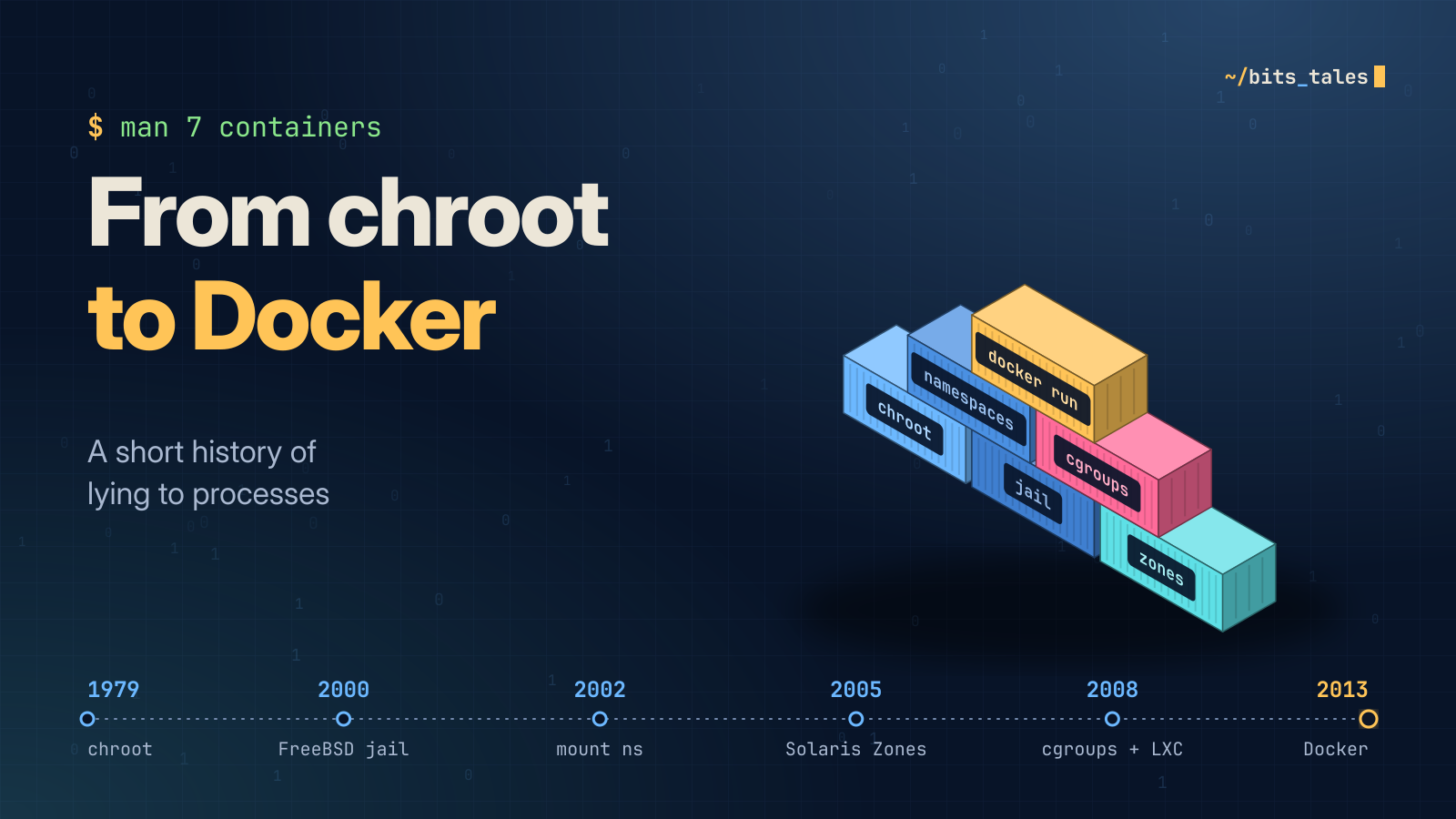
Sooner or later every developer says the most dangerous sentence in computing: "Well, it works on my machine." For decades the ops team answered with a sigh. Then, in 2013, someone answered: "Great, then we'll ship your machine." And that's how Docker was born.
Except it didn't quite happen that way. Docker is the last chapter of a story more than thirty years long, full of forgotten syscalls, kernel patches that were never merged, Google engineers arguing about names and a cracker locked in a fake prison in New Jersey. Get comfortable: we're starting in 1979.
Spoiler: containers don't exist
Let's ruin the surprise right away: there is no object called "container" in the Linux kernel. There's no struct container and no create_container() syscall. A container is a perfectly ordinary process that the kernel tells some very well-coordinated lies to:
- namespaces decide what the process sees: which PIDs, which hostname, which network interfaces, which mounts;
- cgroups decide how much it can consume: CPU, memory, I/O, number of processes;
- a layered filesystem decides where it lives;
- capabilities, seccomp and LSMs decide what it can do, even when it thinks it's root.
In short, a container is a process living in a custom-built virtual reality. Let's see how we got here, one lie at a time.
1979: chroot, or "your root is wherever I say it is"
It all starts in Version 7 Unix, in 1979, with an innocent-looking syscall: chroot(2). It does exactly one thing: it changes the directory a process considers to be /. After chroot("/srv/cage"), when the process opens /etc/passwd the kernel actually resolves /srv/cage/etc/passwd. In Linux it's literally a pointer (current->fs->root) being moved.
It wasn't built for security: it was used to build and test the system in a separate tree. In 1982 Bill Joy brought it to BSD, and from there it became everyone's favourite trick for isolating daemons (anonymous FTP, BIND and so on).
In January 1991 Bill Cheswick, at Bell Labs, trapped a cracker in a hand-built chroot environment and watched him for months, later telling the story in the paper "An Evening with Berferd". That's where the phrase chroot jail comes from. Romantic, but there's a problem: chroot is not a prison. It's more like a wall with a door painted on it, except the door is real and the wall is the painting.
The classic escape, if you're root inside the chroot:
#include <unistd.h>
#include <sys/stat.h>

int main(void) {
    mkdir("tunnel", 0755);
    chroot("tunnel");          /* new root... but the cwd stays OUTSIDE */
    for (int i = 0; i < 1024; i++)
        chdir("..");           /* nothing stops us: we're not "below" the root */
    chroot(".");               /* welcome to the host's real / */
    return execl("/bin/sh", "sh", (char *)NULL);
}
The trick: chroot() doesn't move the current working directory. If the cwd is outside the new root, the check on .. never triggers and you can climb all the way up to the real root. The Linux man page is disarmingly honest about it: chroot is not intended as a security mechanism. Remember this, because we'll come back to it when we talk about pivot_root.
2000: FreeBSD jails, the first real prison
In 2000 Poul-Henning Kamp, commissioned by a hosting provider that wanted to give customers "root" without handing over the house keys, added the jail(2) syscall to FreeBSD 4.0. The paper describing it has a wonderful title: "Jails: Confining the omnipotent root".
A jail doesn't just change the filesystem root: it has its own hostname and IP address and, above all, the kernel knows the process is jailed. Root inside the jail can't load modules, create device nodes, touch the host's network or see outside processes. For the first time, isolation is a property of the kernel rather than a convention.
Meanwhile Linux watches and takes notes, mostly in the form of out-of-tree kernel patches. Linux-VServer (2001) and Virtuozzo/OpenVZ (2000/2005) offered real containers, but required a huge patched kernel that never made it into mainline. If you had a cheap VPS in the mid-2000s, it was very likely an OpenVZ container pretending to be a virtual machine. Surprise!
2004–2005: Solaris Zones, where Sun coins the word
With Solaris 10 (2005), Sun Microsystems introduced Zones: isolated OS instances sharing a single kernel, combined with resource controls. The technical name wasn't enough for Sun's marketing department, so the whole thing was sold as Solaris Containers, and that's how "container" entered the mainstream vocabulary. "Branded zones" could even run Linux binaries on top of the Solaris kernel by translating syscalls. Linux developers, meanwhile, were still arguing about what to call things.
2002–2020: namespaces, or lying in instalments
Linux took a different road from jails and zones. Instead of a single "prison" object, it built many small, independent primitives, each virtualizing one global resource. The inspiration came from Plan 9, the Bell Labs operating system where every process had its own namespace.
The first one landed in 2002, in kernel 2.4.19: the mount namespace, by Al Viro. Its flag is called CLONE_NEWNS, as in "NEW NameSpace", completely generic, because nobody imagined there would ever be others. Seven more followed:
| Namespace | Flag | Kernel (year) | What it isolates |
|---|---|---|---|
| Mount | CLONE_NEWNS | 2.4.19 (2002) | mount points |
| UTS | CLONE_NEWUTS | 2.6.19 (2006) | hostname and domain name |
| IPC | CLONE_NEWIPC | 2.6.19 (2006) | System V IPC, POSIX message queues |
| PID | CLONE_NEWPID | 2.6.24 (2008) | process IDs |
| Network | CLONE_NEWNET | 2.6.24–2.6.29 (2008–09) | interfaces, routing, firewall, sockets |
| User | CLONE_NEWUSER | 3.8 (2013) | UIDs/GIDs and capabilities |
| Cgroup | CLONE_NEWCGROUP | 4.6 (2016) | view of the cgroup hierarchy |
| Time | CLONE_NEWTIME | 5.6 (2020) | CLOCK_MONOTONIC and BOOTTIME offsets |
(Fun fact: "UTS" stands for UNIX Time-sharing System, after struct utsname. An entire namespace with a 1970s name whose main job is convincing a process it has a different name.)
There are three syscalls: clone() creates a process in new namespaces, unshare() moves the current process into new ones, and setns() joins an existing one (which is what docker exec does). You can try them without writing any C:
$ sudo unshare --uts --pid --fork --mount-proc bash
# hostname artisanal-container
# hostname
artisanal-container
# ps aux
USER  PID %CPU %MEM COMMAND
root    1  0.0  0.0 bash
root    8  0.0  0.0 ps aux
Our bash now believes it's PID 1, a.k.a. init. Congratulations on the promotion! But being PID 1 comes with two responsibilities that almost everyone discovers the hard way:
- You adopt every orphan: if you don't
wait()on orphaned children, the namespace fills up with zombies. - The kernel ignores signals you haven't installed a handler for: to protect init, SIGTERM and SIGINT without a handler do nothing. That's why
docker stopsometimes waits 10 seconds and then reaches for SIGKILL.
This is exactly why tiny init programs like tini exist. (Run docker ps on the server hosting this blog and you'll see the mail container starting with /tini.)
2006–2008: cgroups, or "mandatory diet"
Namespaces decide what you see, but they don't stop a process from eating all the RAM. In 2006 two Google engineers, Paul Menage and Rohit Seth, proposed "process containers": a way to group processes and apply resource limits to the group. In the kernel, though, the word "container" already meant too many things, so they were renamed control groups. They were merged in 2.6.24 (January 2008). Google was already using them in production on Borg, its internal orchestrator, where pretty much everything ran in containers long before it was cool.
The first version (v1) had a separate hierarchy for each controller (cpu, memory, blkio…): flexible in theory, a nightmare in practice. In kernel 4.5 (2016) Tejun Heo made cgroup v2 stable, with a single unified hierarchy. The interface is delightfully Unix-y: everything is a file.
# cat /sys/fs/cgroup/cgroup.subtree_control   # enabled controllers (systemd usually sets these)
cpuset cpu io memory pids
# mkdir /sys/fs/cgroup/diet
# echo 100M          > /sys/fs/cgroup/diet/memory.max
# echo "50000 100000" > /sys/fs/cgroup/diet/cpu.max   # 50 ms every 100 ms = half a CPU
# echo 64            > /sys/fs/cgroup/diet/pids.max  # goodbye, fork bomb
# echo $$            > /sys/fs/cgroup/diet/cgroup.procs
From now on the shell and all its children are on a diet. If they go over 100 MB, the kernel doesn't ask nicely: the OOM killer steps in inside the group, and the rest of the system doesn't even notice. This is exactly what happens when you pass --memory=100m to docker run.
2008: LXC, all the ingredients in one pot
In 2008, for the first time, the vanilla Linux kernel had everything needed: namespaces plus cgroups, no external patches. Enter LXC (LinuX Containers), a set of userspace tools that put the pieces together. It worked and it was powerful. It was also about as user-friendly as assembling flat-pack furniture with instructions in Sanskrit: long config files, distro templates, networking set up by hand. And complete user namespaces didn't arrive until 2013, so root in the container was effectively root on the host.
Others had a go too: Cloud Foundry with Warden (2011), and in 2013 Google released lmctfy, "Let Me Contain That For You". Naming aside, the technology was all there. What was missing was something much harder: a good user experience.
2013: Docker, or the art of marketing a box
dotCloud was a small Platform-as-a-Service company that, like Heroku, used containers internally. In March 2013, at PyCon in Santa Clara, founder Solomon Hykes gave a five-minute lightning talk called "The future of Linux Containers" and showed an internal tool that had just been open-sourced: Docker. A few months later dotCloud renamed itself Docker, Inc. The rest is history (plus thousands of Dockerfiles starting with FROM ubuntu:latest).
The irony: Docker didn't invent any isolation technology. The first versions, written in Go, were a wrapper around LXC. With 0.9 (March 2014) the default backend became libcontainer, a Go library talking directly to namespaces and cgroups. The real innovation was elsewhere:
- The image as an artifact: an immutable, versioned package containing the application's whole filesystem.
- The Dockerfile: a reproducible recipe (more or less;
apt-get updatehas other ideas). - The registry:
docker pushanddocker pull, like git but for entire systems. - The UX:
docker run -it ubuntu bash. One command. Done.
The layer trick
At the heart of images is the layered filesystem (a union filesystem): first AUFS, today almost always OverlayFS (the overlay2 driver). Each Dockerfile instruction produces a read-only layer, identified by the SHA-256 hash of its contents. At run time a writable layer is added on top:
# mount -t overlay overlay \
    -o lowerdir=/layers/app:/layers/python:/layers/debian,upperdir=/rw,workdir=/work \
/merged- Reads go through the layers from top to bottom: the first layer that has the file wins.
- The first write to a file from a lower layer triggers a copy-up: the whole file is copied into
upperdir(yes, even if you change one byte of a 2 GB file). - Deleting a file creates a whiteout: a 0/0 character device in the upper layer that says "pretend there's nothing down there".
That's why ten containers from the same image take up the space of one image, and why a RUN rm -rf /cache at the end of a Dockerfile doesn't shave a single byte off the image: the file is still there in the lower layers, hidden by a whiteout.
Goodbye chroot, hello pivot_root
Remember the chroot escape? Modern runtimes don't use chroot(), they use pivot_root(2). Inside a new mount namespace, they make the container's rootfs the new root, move the old root into a subdirectory and then unmount it (umount2(old, MNT_DETACH)). There's no host directory left to climb to with ..: the painted door has been replaced by an actual wall.
Finally, Docker strips most capabilities from the container's root (no CAP_SYS_ADMIN, no CAP_SYS_MODULE…), applies a seccomp profile that blocks a good forty-odd dangerous syscalls and, where available, adds AppArmor or SELinux on top. Container root is root wearing a muzzle.
Epilogue: what came after Docker?
Docker took off so fast that it scared the rest of the industry. In 2014 Google released Kubernetes, Borg's spiritual heir, and CoreOS answered Docker with rkt. To head off a format war, the Open Container Initiative (OCI) was founded in 2015: Docker donated its runtime, which became runc, and the image format became a standard. Docker then split its management daemon out into containerd and donated it to the CNCF.
When Kubernetes 1.24 removed the "dockershim" in 2022, the internet panicked: "Kubernetes is dropping Docker!" Nothing broke, because images are OCI and containerd was already underneath. Very anticlimactic, like all the best engineering stories.
TL;DR for those who scrolled straight here
| Ingredient | Year | Lie told to the process |
|---|---|---|
chroot → pivot_root | 1979 / 2000 | "This is your /" |
| Namespaces | 2002–2020 | "You're PID 1, this is your name, this is your network" |
| Cgroups | 2008 / 2016 (v2) | "RAM ends at 100 MB, trust me" |
| Capabilities + seccomp | 1999 / 2005–2012 | "You're root… sort of" |
| OverlayFS + images | 2013–2014 | "This filesystem is all yours (and 40 other containers')" |
So a container isn't a tiny virtual machine: it's a process the kernel lies to very consistently. Docker didn't invent those lies. Its achievement was telling all of them at once, with a single command and a whale logo. And it's four containers (Ghost, MySQL, Postfix and Caddy) that are serving you this page right now.
Until the next bit's tale. 🐳